
On this page 6
What Is Subnautica and Why Does the APK Version Matter?
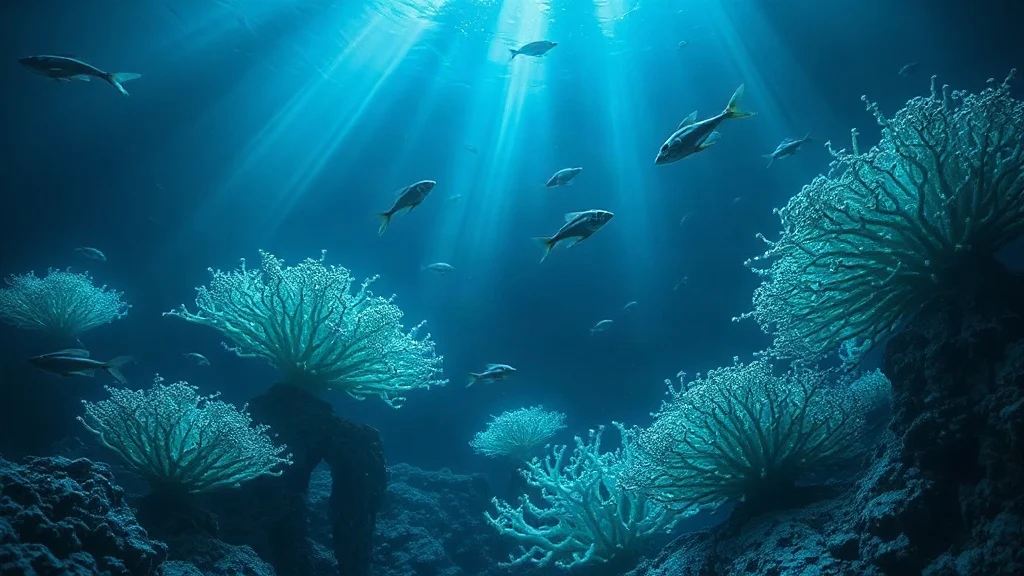
Subnautica is a first-person open-world survival game set entirely underwater on an alien planet called 4546B. You crash-land, your escape pod sinks, and the only direction left is down. For Android players specifically, the APK version of Subnautica is worth understanding carefully — because how you get the game onto your device affects both what you can play and how safely you can play it.
To answer the core question directly: Subnautica is available on Android through official app stores (notably Google Play), and APK files can be downloaded from third-party sources when region restrictions or device compatibility issues get in the way. The game is premium — meaning it costs money through official channels — so any APK claiming to be a free, fully unlocked version deserves extra scrutiny before you install it.
That distinction matters more here than it does for, say, a free utility app. Subnautica has real monetary value, which makes it a more frequent target for repackaged or modified APKs. Knowing the difference between a legitimate APK and a compromised one is the single most important thing to understand before downloading.
Key Features of Subnautica on Android
Subnautica on Android delivers most of what made the PC and console versions compelling, adapted for touchscreen play. Here’s what you’re actually getting:
- Open-ocean exploration: A massive underwater world spread across distinct biomes — from sunlit kelp forests near the surface to crushing, pitch-black trenches thousands of meters down. Exploration is non-linear; you choose where to go and when.
- Base building: Construct modular underwater habitats using salvaged materials. You can build everything from a basic air pocket to an elaborate research station with moonpools, observation decks, and power systems.
- Submarine and vehicle crafting: Build the Seamoth (a compact one-person sub), the Prawn Suit (a walking exosuit), and the Cyclops (a full-sized submarine you pilot from inside). Each opens up deeper or more dangerous zones you couldn’t reach before.
- Resource management with real stakes: Oxygen, food, water, and hull integrity all drain in real time. Running out of oxygen 400 meters down because you got distracted by a ghost leviathan is a real and recurring problem.
- Story-driven progression: There’s an actual narrative — radio signals, alien artifacts, and an infection mechanic that push you toward a conclusion rather than just endless sandbox survival.
- 3D graphics optimized for mobile: The Android version uses scaled-down but visually faithful rendering. Mid-range devices handle it reasonably well; flagship phones show off the bioluminescent visuals most effectively.
- Offline play: Once installed, Subnautica runs entirely offline. No internet connection required during gameplay — only for the initial download and any updates.
How to Download and Install the Subnautica APK
Installing Subnautica on Android is straightforward, but the order of steps matters — skipping the permissions step first is the most common reason installs fail silently.
- Tap the download button above to get the APK file. Wait for the download to complete fully before proceeding — a partial download produces a corrupt install that won’t throw a clear error message.
- Enable installs from unknown sources. Go to Settings → Apps → Special App Access → Install Unknown Apps (exact wording varies by Android version and manufacturer skin). Find your browser or file manager in the list and toggle it on. This setting only needs to be on long enough to complete the install — you can turn it off afterward, and doing so is good security practice.
- Open the downloaded APK file using your device’s file manager. Android will display a permissions summary screen before proceeding.
- Review the permissions requested. Subnautica legitimately needs storage access (for save files) and potentially audio permissions. If an APK is requesting access to contacts, SMS, or call logs, that’s a red flag — a survival game has no reason to need those.
- Tap Install and wait. Larger game APKs take longer to unpack than small utility apps. Don’t close the installer screen mid-process.
- Launch the game from your home screen or app drawer. On first launch, additional game data may download — keep your connection stable until that completes.
A Note on OBB Data Files
Some versions of Subnautica distributed as APKs come split into the APK installer and a separate OBB (expansion) data file. If your downloaded package includes an OBB folder, it needs to be placed manually at Android/obb/[package name]/ on your internal storage before launching. Skipping this step causes the game to open to a blank screen or crash immediately — which is frequently misdiagnosed as a compatibility problem when it’s actually just a missing data file.
Subnautica vs. Subnautica: Below Zero — Which Should You Get?
Both games are available on Android, and the choice between them is genuinely worth thinking through before downloading rather than after.
| Feature | Subnautica | Subnautica: Below Zero |
|---|---|---|
| Setting | Tropical alien ocean, warm biomes | Arctic planet, ice and frozen terrain |
| Story focus | Survival and escape from 4546B | Mystery and personal narrative, more dialogue-heavy |
| Map size | Larger, more open ocean | Smaller but more vertically layered |
| Best for | First-time players, pure survival focus | Players who finished the first game |
| Difficulty curve | Steeper early game | Slightly more guided opening |
If you haven’t played either, start with the original Subnautica. The sense of scale and the gradual revelation of how deep and strange 4546B actually is lands harder when you don’t already know the universe. Below Zero is genuinely excellent, but it’s designed for players who already understand the rhythm of the first game.
What About MOD APKs?
MOD APKs for Subnautica typically advertise things like unlimited oxygen, unlocked blueprints, or no-clip movement. The trade-off worth spelling out explicitly: these modifications remove the resource pressure that makes the game tense and rewarding in the first place. Exploring the deep with unlimited oxygen isn’t Subnautica — it’s a slightly eerie 3D screensaver. Beyond the gameplay trade-off, MOD APKs carry a higher security risk than clean APKs, since modifying an APK requires repacking it, and that process is also how malware gets inserted. The risk-to-reward ratio skews unfavorable unless you’ve already completed the game legitimately and want to revisit specific areas without friction.
Safety: What to Verify Before Installing
Verifying your APK source before installing is the single step most users skip and most often regret. A few concrete checks take less than two minutes:
- Check the file size against known versions. Subnautica is a substantial game — APKs that are unusually small (under 30MB with no separate OBB) are almost certainly not the full game, and may be something else entirely masquerading as it.
- Scan the APK before installing. Upload the file to VirusTotal (free, browser-based) before running it. Not a perfect filter, but it catches known signatures quickly.
- Read the permissions screen carefully during install — as noted above, a survival game requesting sensitive personal data permissions is a meaningful warning sign.
- Use the official Google Play version when possible. If the game is available in your region and your device meets requirements, the Play Store version is the lowest-risk path. APK distribution is most justified when Play Store access is genuinely restricted.
Frequently Asked Questions
Is Subnautica free on Android?
No. Subnautica is a premium game and carries a purchase price through official channels like Google Play. APKs claiming to offer the full game for free are either heavily modified (with trade-offs described above) or misrepresenting what they actually contain. Expect to pay for a legitimate copy.
Does Subnautica work offline after downloading?
Yes — once the game and any associated OBB data are fully installed, Subnautica runs entirely offline. You don’t need an active internet connection to play. The only exception is the initial installation and any subsequent updates, which require a connection.
What Android devices can run Subnautica?
Subnautica is a graphically demanding game. It runs on a wide range of Android devices, but performs best on mid-range or flagship phones from roughly the last three years. Older or entry-level devices may experience frame rate drops, especially in complex biomes like the Lost River. Check the specific system requirements listed on the app store page before purchasing to avoid disappointment.
Is it safe to install the Subnautica APK from a third-party site?
It depends entirely on the source. The APK format itself is just Android’s standard installation format — it’s not inherently unsafe. What matters is whether the file has been tampered with. Following the verification steps in the safety section above (size check, VirusTotal scan, permissions review) significantly reduces risk. No third-party source is zero-risk, which is why the official Play Store is always the preferred option when accessible.
What’s the difference between the APK and the OBB file?
The APK is the installer — it contains the app’s code and core structure. The OBB is an expansion data file containing the bulk of the game’s assets (textures, audio, 3D models). For large games like Subnautica, both files are needed. If you download a version that includes an OBB, it must be placed in the correct folder on your device’s storage before the game will launch properly.
Can I transfer my save file between devices?
Save files for Subnautica on Android are stored locally on your device. You can manually copy the save data folder to a new device via file transfer, but there’s no automatic cloud sync through third-party APK installations. The Google Play version may support Play Games cloud saves depending on how the developer has configured it — check in-game settings after installation.
Further reading: publicWebsite


Comments