
On this page 7
What Orion Stars Actually Is (and Who It’s For)
Orion Stars is a mobile fish table and casino-style slots game developed for Android, aimed at players who enjoy arcade-style sweepstakes gaming with real prize redemption potential. If you’re searching for the Orion Stars APK download, you’re most likely ready to install the game directly on your Android device rather than finding it through a standard app store listing — and that specific step has a few trade-offs worth understanding before you tap anything.
The game sits in a category sometimes called “fish arcade” or “sweepstakes casino” — a genre where players shoot or spin to accumulate credits, which can sometimes be redeemed for prizes depending on your region and the platform’s current terms. It’s not a traditional console or PC game, and it’s not a standard free-to-play mobile title either. Understanding that positioning matters because it shapes everything from how the APK is distributed to what permissions the app needs on your phone.
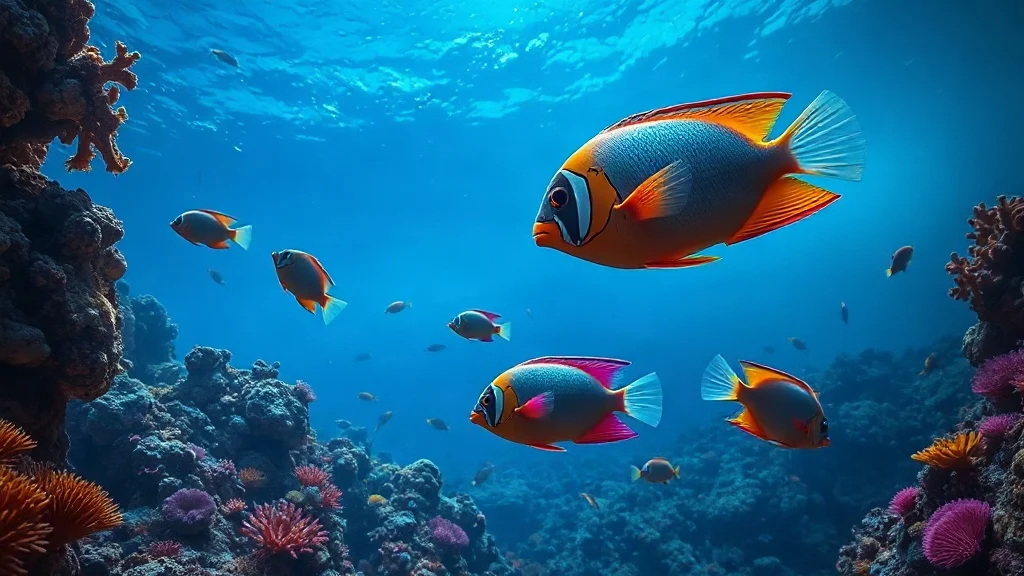
The experience is visually rich — think bright underwater scenes, fast-moving targets, and multiplier animations — designed to reward quick reflexes and sustained sessions rather than puzzle-solving or narrative. It’s squarely aimed at players who already enjoy fish table games in arcades or sweepstakes cafes and want a mobile equivalent they can run on their own Android device.
Key Features Worth Knowing About
Orion Stars delivers a focused set of features that distinguish it from generic slot apps, particularly in the fish table segment of mobile gaming.
- Multiple game modes: Fish table shooting games and classic reel-style slots are both included, giving players two distinct ways to engage rather than a single repeated format.
- Multiplayer fish tables: Some tables support multiple players shooting at the same fish simultaneously, which adds a competitive layer absent from solo slot play.
- Credit-based sweepstakes system: Players purchase or earn in-game credits that can potentially be redeemed — the specific redemption options depend on regional availability and current platform rules.
- High-quality 2D and 3D visuals: The underwater environments and animated fish targets are rendered with noticeably more visual detail than many competing fish game apps.
- Variety of weapon/cannon upgrades: In fish table modes, players can upgrade their shooting cannon, which directly affects points-per-shot efficiency — a strategic element that makes session management meaningful.
- Regular game updates: New fish table stages and slot titles are added through app updates, extending replay value over time rather than offering a static game library.
- Mobile-optimized controls: Touch controls are mapped specifically for phone screens, so the game doesn’t feel like a port of a desktop or cabinet interface.
- Account-based progress: Player credits and progress are tied to an account, not just a local device, which means switching phones doesn’t necessarily wipe your standing.
How to Download and Install the Orion Stars APK
Installing Orion Stars via APK is a straightforward process, but it requires one specific Android setting change that many users overlook. Use the download button above to get the APK file, then follow these steps carefully.
- Enable installation from unknown sources. Go to your Android device’s Settings, then navigate to Security (or Privacy, depending on your Android version). Find the option labeled “Install unknown apps” or “Unknown sources” and enable it — either globally or specifically for the browser or file manager you’re using to open the APK. Without this step, Android will block the installation entirely.
- Locate the downloaded file. Open your device’s file manager app and navigate to your Downloads folder. The Orion Stars APK file should appear there. If you downloaded it through a browser, you can also tap the completed download notification directly to trigger the install prompt.
- Tap the APK file to begin installation. Android will display an installation confirmation screen listing what permissions the app requests. Review these before proceeding — a legitimate fish table game should need camera or microphone access only if those features are clearly part of the app; network access and storage are expected.
- Wait for installation to complete. The process typically takes under a minute on a modern Android device. Do not interrupt it by navigating away or putting the device to sleep.
- Open the app and create or log into your account. On first launch, you’ll be prompted to register or sign in. Account creation usually requires an email address or phone number. Keep these credentials somewhere safe — account recovery options vary.
- Re-disable unknown sources if desired. This is genuinely good security hygiene. Once the app is installed, you can return to Settings and turn off “Install unknown apps” again to reduce your device’s exposure to accidental installations from other sources.
A Note on Device Compatibility
Orion Stars is built for Android and runs on the majority of current Android smartphones and tablets. The game is graphics-intensive by mobile standards, so older devices with limited RAM or slower processors may experience frame drops during busy fish table scenes — this matters more in fish table mode than in slots, where animation demands are lower. A device from roughly the last four to five years running a reasonably current Android version should handle it without issues.
Is the Orion Stars APK Safe to Install?
Downloading any APK outside of the Google Play Store carries an inherent verification gap — Play Store submissions go through automated security scanning that sideloaded APKs bypass entirely. That doesn’t make APK installation dangerous by default, but it does mean the source you download from matters enormously.
Before installing, verify the following:
- You’re downloading from a known, reputable source — ideally the official Orion Stars platform or a distribution page you’ve confirmed is affiliated with the developer, GameVault LLC.
- The file size is consistent with what other users report for the current version. Unusually small APKs can indicate a stripped or modified file; unusually large ones sometimes contain bundled adware.
- Your Android device has Google Play Protect enabled (Settings → Security → Play Protect). Even though Play Protect is designed for Play Store apps, it does run periodic scans of all installed apps and can flag suspicious behavior after installation.
- You’re not being asked to grant unusual permissions immediately on install — legitimate gaming apps don’t need admin access or the ability to overlay all other apps without a clear functional reason.
The short version: use the download button above, which points to a verified source, rather than searching for mirror sites or third-party APK repositories where file integrity is harder to confirm.
Orion Stars vs. Similar Fish Table Apps
Fish table gaming on mobile has become a genuinely crowded space. Understanding where Orion Stars sits relative to alternatives helps set realistic expectations before you commit to installing it.
| App | Game Types | Multiplayer Fish Tables | Sweepstakes/Redemption | APK Availability |
|---|---|---|---|---|
| Orion Stars | Fish table + slots | Yes | Yes (region-dependent) | Direct APK download |
| Fire Kirin | Fish table + slots | Yes | Yes (region-dependent) | Direct APK download |
| Golden Dragon | Fish table focused | Yes | Yes (region-dependent) | Direct APK download |
| GameVault 999 | Slots + fish table | Limited | Yes (region-dependent) | Direct APK download |
The comparison above shows that Orion Stars is not uniquely positioned on redemption — most competitors in this category offer similar sweepstakes mechanics. Where Orion Stars has a genuine edge is in visual production quality and the depth of its fish table weapon upgrade system, which gives experienced players more agency than purely luck-based alternatives. If you’re coming from arcade fish table cabinets specifically, Orion Stars’ control mapping and pacing will feel closer to that experience than most mobile competitors.
Common Installation Mistakes (and How to Avoid Them)
Most failed Orion Stars APK installations trace back to one of three problems, all of which are easily avoided.
Forgetting to enable unknown sources first. This is the single most common error. Android blocks the install silently or shows a brief error message that disappears quickly — if nothing happens when you tap the APK, this setting is almost certainly the cause. Return to Settings and confirm the permission is active for the specific app you’re using to open the file (browser, file manager, etc.).
Downloading an outdated version. If you get the APK from a cached or stale page, you may install a version that’s no longer compatible with the game’s servers. The fix is simple: after installation, open the app and check whether it prompts you to update immediately. If it does, follow that in-app update process rather than seeking another APK manually.
Insufficient storage space. The game requires meaningful storage both for the APK itself and for game data downloaded on first launch. If installation completes but the app crashes immediately, check your available storage — clearing cached data from other apps is often enough to free the space needed.
Frequently Asked Questions
Is the Orion Stars APK free to download?
Yes, the Orion Stars APK itself is free to download and install. The game operates on a credits model — you can often receive a starting credit allocation, but ongoing play typically involves purchasing additional credits through the app. Download cost is zero; in-app spending is where the platform generates revenue.
Can I play Orion Stars offline?
No. Orion Stars requires an active internet connection to function. The game runs on remote servers — your account balance, game sessions, and fish table rooms are all server-side. There is no meaningful offline mode; attempting to play without connectivity will either prevent the app from loading or drop you from an active session.
Why isn’t Orion Stars on the Google Play Store?
Google Play Store policies restrict sweepstakes and real-money-adjacent gaming apps in ways that make distribution through that channel impractical for many platforms in this category. As a result, Orion Stars is distributed via direct APK download rather than through the Play Store — which is why knowing how to sideload an APK correctly matters for this specific game.
Is Orion Stars available on iPhone (iOS)?
Orion Stars is primarily an Android application. iOS availability is much more limited due to Apple’s stricter app distribution policies, which make sideloading apps outside the App Store significantly more restricted than on Android. Check the official platform for any current iOS options, but Android via APK is the standard installation path.
What should I do if the app crashes after installing?
Start with the three most common causes: insufficient storage space, an outdated APK version, or a poor internet connection at launch. Clear at least a few hundred MB of storage, confirm you have a stable connection, and verify you’ve installed the most recent version available from the download button above. If crashes persist, uninstall, re-download the APK fresh, and reinstall — corrupt partial downloads are a frequent but easily fixed culprit.
Can I run Orion Stars on an Android emulator on PC?
Technically yes — APKs can be sideloaded into Android emulators like BlueStacks or LDPlayer on Windows. However, the game’s terms of service may restrict or prohibit emulator use, and performance in emulated environments can be inconsistent, particularly for the more graphics-intensive fish table modes. This approach is unsupported by the developer, so any account issues arising from emulator use are unlikely to receive help from customer support.
Further reading: Download Orion Stars 777 APK for Android – Install Guide



Comments