
On this page 6
What Master Royale APK Actually Is
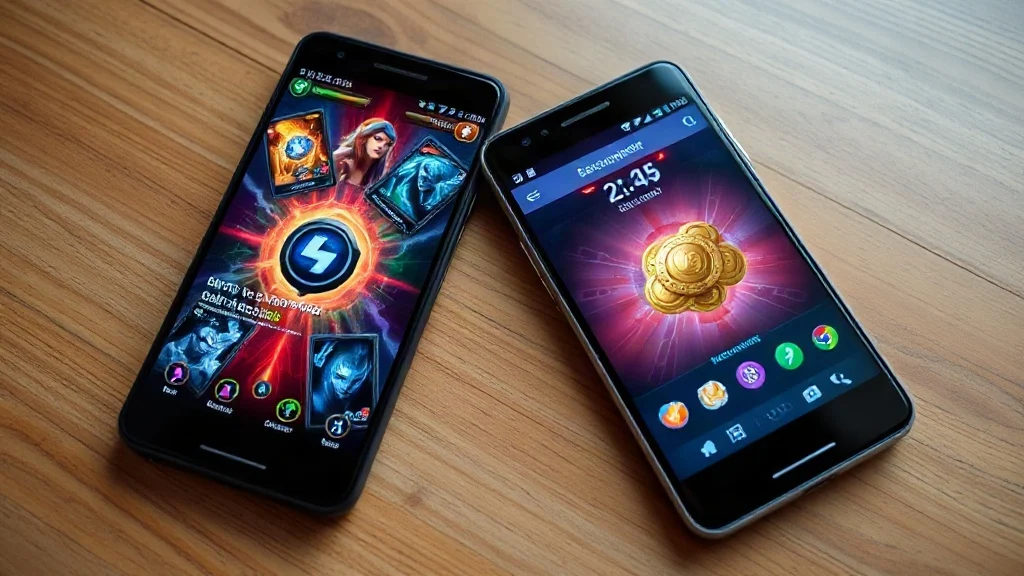
Master Royale is a private server version of Clash Royale that gives players unlimited gems, gold, and cards — without spending real money. If you’ve been grinding Clash Royale for months and still can’t max out your deck, this is the alternative Android players turn to.
It runs on its own private servers, completely separate from Supercell’s official Clash Royale network. That means your official account stays untouched. Progress here doesn’t carry over to the real game, but that’s exactly the point — Master Royale is a sandbox where you can test strategies, build any deck you want, and play without limits holding you back.
There are two main variants most players talk about: Master Royale (sometimes called MR Vanilla) and Master Royale Infinity. Both offer the private server experience, but they differ in how far the resource unlocks go and how closely they mirror the current official meta.
| Variant | Resources | Card Availability | Server Type |
|---|---|---|---|
| Master Royale (Vanilla) | High starting gold and gems | All cards unlocked progressively | Private, active community |
| Master Royale Infinity | Truly unlimited — max everything from day one | All cards instantly at max level | Private, larger player base |
If you want to experiment with strategies before committing to them in the official game, Vanilla gives you a more structured climb. If you just want everything immediately, Infinity is the pick.
Key Features of Master Royale
Master Royale packs a genuine set of differences from the official game — not just a reskin. Here’s what you actually get:
- Unlimited gems and gold from the start — no waiting weeks to afford a card upgrade.
- All cards available — build any deck combination, including ones that would take months to unlock legitimately.
- No pay-to-win pressure — every player starts on a level field within the private server.
- Custom tournaments and events — the private server community often runs its own ladder seasons and challenges.
- Regular APK updates — the development team behind Master Royale pushes updates to keep cards and gameplay mechanics aligned with the official game’s current state.
- No Supercell account required — create a guest account on the private server without linking your real Supercell ID.
- Works alongside the official game — both apps can be installed at the same time since Master Royale uses a different package name.
How to Download and Install Master Royale APK
Installing Master Royale is a straightforward sideload process on Android — it takes about five minutes if you’ve done it before, maybe ten if this is your first APK install. Follow these steps carefully.
- Enable Unknown Sources. Go to your Android Settings, then Security (or Privacy on some devices), and toggle on “Install unknown apps” or “Unknown sources.” On Android 8 and above, you’ll grant this permission per app — so enable it for your file manager or browser.
- Download the APK. Use the download button above to get the latest Master Royale APK file. Wait for the download to complete fully before moving on.
- Locate the file. Open your file manager and navigate to your Downloads folder. The file will typically have a name referencing Master Royale and a version number.
- Tap to install. Tap the APK file. Android will show an install prompt — review any permissions it requests, then tap Install.
- Wait for installation to finish. This usually takes 20–60 seconds depending on your device. Don’t interrupt it.
- Open and set up your account. Launch Master Royale, create a new guest account or log in through the private server’s system. Do not use your Supercell ID here.
- Start playing. Your resources should already be credited. Head to the card collection and start building.
One common mistake: players skip step one and then wonder why the install fails. Android blocks unknown APKs by default — that settings toggle is non-negotiable before anything else will work.
A Note on Device Requirements
Master Royale runs on Android devices that can handle the official Clash Royale. A mid-range Android phone from the last four or five years should handle it without issues. The app is not available on iOS — Apple’s closed ecosystem makes sideloading private server apps effectively impossible for most users without jailbreaking.
Is It Safe to Install?
Master Royale APK is widely used across the Clash Royale community, and the core app itself poses no known threat to your device when downloaded from a trusted source. That qualifier matters. APK files downloaded from random sites can be repackaged with malware — the file name alone tells you nothing about what’s actually inside.
Three practical safety checks before installing any APK:
- Download only from sources you’ve verified — forums, communities, or pages where other users actively report their experience.
- Run a quick scan with your device’s built-in security app (Google Play Protect, for instance) after downloading but before installing.
- Check that the file size matches what other users in the community are reporting for the same version. A file that’s drastically smaller or larger than expected is a red flag.
One thing worth being clear about: Master Royale is not affiliated with Supercell, and using it won’t get your official Clash Royale account banned — because the two operate on entirely separate systems. You’re not logging into Supercell’s servers at any point. That said, always keep your Supercell credentials separate and never enter them into any third-party app.
Why Players Choose Master Royale Over the Official Game
The appeal isn’t really about replacing Clash Royale — it’s about removing friction from the testing and learning process. In the official game, experimenting with a new deck archetype can cost weeks of grinding or real money to acquire the right cards at competitive levels. Master Royale eliminates that entirely.
Competitive players use it to stress-test decks before committing to them in ladder matches. Casual players use it because they want the full card roster experience without the monetization wall. And some players just run it in parallel — grinding the official ladder for ranking, then switching over to practice specific match-ups or counters in a pressure-free environment.
The active player base on the private servers also means matchmaking actually works. You won’t be sitting in a queue — there are enough players on Master Royale’s servers at any given time that real matches happen quickly, especially during peak hours.
Frequently Asked Questions
Is Master Royale APK free to download?
Yes, Master Royale APK is completely free. There are no in-app purchases and no premium tiers — the entire point of the private server is that everything is already unlocked. The download itself costs nothing.
Will installing Master Royale get my real Clash Royale account banned?
No. Master Royale runs on private servers that have no connection to Supercell’s infrastructure. As long as you don’t enter your Supercell ID into Master Royale, your official account is completely unaffected. The two apps operate independently of each other.
Can I play Master Royale offline?
No — Master Royale requires an active internet connection because it connects to private game servers for matchmaking and gameplay. It’s not a single-player offline experience; the core loop is still real-time PvP against other players on the private server.
What’s the difference between Master Royale and Master Royale Infinity?
Both are private server Clash Royale experiences, but Master Royale Infinity unlocks everything at max level from the moment you start. The standard Master Royale (Vanilla) gives you generous resources but still involves some card progression. Infinity is for players who want zero friction from the very first match.
Does Master Royale update when the official Clash Royale does?
The Master Royale development team releases APK updates to keep the private server in sync with official card additions and balance changes — but there’s usually a short delay after major Supercell updates. Check the download source for the latest version number before assuming your installed version is current.
Can I install Master Royale on the same phone as the official Clash Royale?
Yes. Master Royale uses a different app package name, so Android treats it as a separate application. Both apps can coexist on the same device without conflicting with each other.
Further reading: iOS device


Comments