
On this page 6
What Is the FoodKing Delivery Boy APK?
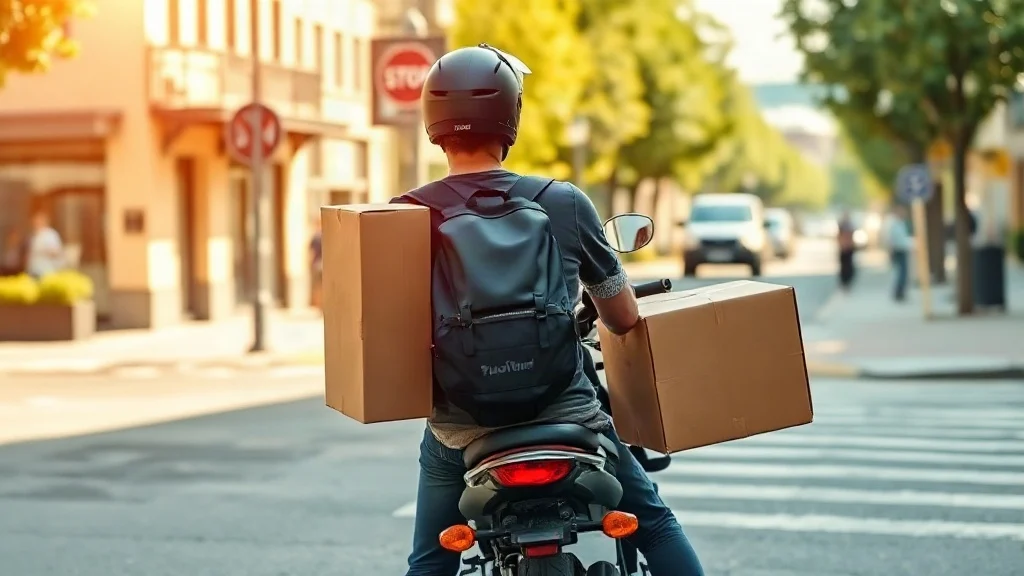
Picture this: you’ve just been hired as a delivery rider for a local restaurant running on the FoodKing platform, and your manager tells you to download an app to manage your orders. You search for it, find a handful of confusing results, and aren’t sure what’s legit or what the app even does. That’s exactly the situation this guide is built for.
The FoodKing Delivery Boy APK is a purpose-built Android application designed specifically for delivery personnel who work within the FoodKing restaurant food delivery ecosystem. It connects directly to the FoodKing admin panel, giving riders real-time order notifications, route details, and delivery status controls — all from their Android device. If the restaurant you work for uses FoodKing as its backend system, this is the companion app you need to do your job efficiently.
In short: this isn’t a consumer food ordering app. It’s an operational tool for delivery agents, not hungry customers.
Key Features of the FoodKing Delivery Boy App
The FoodKing Delivery Boy app is built around one goal — making the delivery workflow as friction-free as possible for riders on the ground. Here’s what it actually brings to the table:
- Live order notifications: New delivery requests are pushed to the app in real time, so riders never miss an assignment from the restaurant’s admin panel.
- Order acceptance and rejection controls: Riders can accept or decline incoming orders directly through the app, giving them clear visibility over their workload.
- Delivery status updates: Each order can be progressed through status stages — picked up, on the way, delivered — keeping the restaurant and customer informed without any manual calls.
- Earnings tracking: The app logs completed deliveries and associated earnings, so riders can monitor their performance over time without asking the manager for a report.
- Route and address display: Customer delivery addresses are shown clearly, with integration options for navigation to help riders reach the drop-off point efficiently.
- Order history: A running log of past deliveries lets riders review completed jobs, which is useful for disputes or reconciling payments.
- Profile management: Riders can update their own availability status, toggle active or offline modes, and manage basic account details within the app itself.
What makes this app genuinely useful rather than just functional is how tightly it’s wired into the broader FoodKing system. Every status change a rider makes in the app reflects instantly in the restaurant’s admin dashboard — no lag, no miscommunication.
Who Actually Needs This App?
The FoodKing Delivery Boy APK is not for everyone, and that’s worth being upfront about. This app only makes sense if you fall into one of two groups.
First, delivery riders employed by (or contracted to) a restaurant or food business that uses the FoodKing restaurant management system. Without a valid account issued by that business’s admin, the app has no functionality — you won’t be able to log in or receive orders.
Second, developers or restaurant owners who are evaluating or testing the FoodKing platform and want to understand the delivery-side experience before deploying it for their team. In that case, downloading and exploring the app interface is a reasonable step in your decision process.
If you’re looking for an app to order food for yourself, this is not it. FoodKing has separate customer-facing apps and web interfaces for that purpose.
How to Download and Install the FoodKing Delivery Boy APK
Getting the FoodKing Delivery Boy APK installed on your Android device is straightforward, but there are a few steps you’ll want to follow carefully to make sure everything goes smoothly.
- Tap the download button above to get the APK file onto your device. Make sure your internet connection is stable before starting — interrupted downloads can result in a corrupted file.
- Allow installation from unknown sources. Since you’re installing an APK file outside the Google Play Store, Android will ask for permission. Go to your device’s Settings, navigate to Security or Privacy (the exact path varies by Android version and device brand), and enable the option to install apps from unknown sources — or specifically allow it for your browser or file manager when prompted.
- Locate the downloaded file. Open your file manager app and find the APK in your Downloads folder. It will typically have a filename referencing FoodKing or the delivery app.
- Tap the APK file to begin installation. Android will display a permissions summary and ask you to confirm. Review the permissions listed, then tap Install.
- Wait for installation to complete. This usually takes under a minute on most Android devices. Once done, you’ll see an option to Open the app directly.
- Log in with your credentials. You’ll need the account credentials provided by your restaurant’s FoodKing admin. The app won’t function without a valid login tied to an active FoodKing deployment.
A Note on Device Compatibility
The FoodKing Delivery Boy app is designed for Android devices. It requires a reasonably modern version of Android to run correctly — older devices running very outdated Android versions may experience compatibility issues. If the app crashes on launch or behaves unexpectedly, checking whether your Android version is up to date is always a sensible first troubleshooting step.
Safety First: Verify Before You Install
Any time you install an APK file outside of the official Google Play Store, it’s worth pausing for a quick safety check. Verify that you’re downloading the file from a trustworthy source — ideally from a site you already have reason to trust, not a random result you clicked without checking. After downloading, you can use Android’s built-in Google Play Protect feature to scan the file before installation. It won’t guarantee safety for every file, but it catches the most common threats. Never install an APK sent to you via an unsolicited message or from a source your restaurant admin didn’t point you to directly.
FoodKing Delivery Boy vs. the Customer App: What’s the Difference?
| Feature | FoodKing Delivery Boy APK | FoodKing Customer App |
|---|---|---|
| Primary user | Delivery riders / agents | End customers ordering food |
| Main function | Manage and complete deliveries | Browse menus and place orders |
| Login type | Admin-issued rider account | Self-registered customer account |
| Order flow direction | Receives and fulfills orders | Places and tracks orders |
| Works without restaurant backend? | No — requires active FoodKing system | No — requires restaurant’s platform |
The distinction matters because searching for “FoodKing” can surface both apps, and downloading the wrong one is a common source of confusion for new riders.
Frequently Asked Questions
Is the FoodKing Delivery Boy APK free to download?
Yes, the APK itself is free to download and install. However, the app only works if your employer or the restaurant you’re delivering for has an active FoodKing system set up and has created a rider account for you. There’s no cost on your end as a delivery agent.
Can I use this app without a FoodKing admin account?
No. The FoodKing Delivery Boy app is not a standalone tool — it connects to a specific restaurant’s FoodKing backend. Without login credentials issued by that backend’s administrator, you won’t be able to access any features beyond the login screen.
Does the app work offline?
The core functionality of the FoodKing Delivery Boy app depends on a live internet connection. Order notifications, status updates, and earnings data all sync in real time with the server. You can view certain previously loaded information while briefly offline, but you cannot receive new orders or update delivery statuses without connectivity.
Is it safe to install the FoodKing Delivery Boy APK from outside the Play Store?
Installing any APK outside the Play Store carries some inherent risk if you’re not careful about the source. As long as you download from a reputable site and run a quick scan with Google Play Protect before installing, the risk is manageable. Always confirm with your restaurant admin which source they recommend for the download.
Why isn’t the app showing me any orders after I log in?
If you’re logged in but seeing no orders, the most likely explanations are: your rider account hasn’t been activated by the admin yet, you’re marked as offline within the app (check your availability status toggle), or the restaurant hasn’t pushed any active orders to your account. Contact your FoodKing system administrator to confirm your account status.
Will this app work on iOS or iPhone?
The FoodKing Delivery Boy APK is an Android-specific file format. It cannot be installed on iOS devices directly. If you’re using an iPhone, you’d need to check whether a compatible iOS version of the app is available through the App Store — APK files themselves are exclusively an Android format.
Further reading: Learn more


Comments