
Get Honkai: Star Rail on Android through Google Play
The Honkai Star Rail Apk download button opens the Google Play listing for Honkai: Star Rail, HoYoverse’s space-fantasy RPG. Installation happens through the Play Store app; this page does not provide a standalone APK file or require you to enable installation from unknown sources.
Use the download button to reach the Android listing, then review the installation option shown for your device. That distinction matters: an APK download normally leaves you with a file to install yourself, while this route lets Google Play handle the installation and available store updates.
Honkai: Star Rail is free to download and includes optional in-game purchases. Before installing, you can inspect its store description, screenshots, purchase disclosures, and device availability rather than relying on a third-party file label.
The button’s destination is specifically for Android. It does not deliver a Windows installer, even though results for the game sometimes mix mobile and PC downloads under similar titles.
If you want the Android game without managing installation files manually, this is the appropriate route. If your goal is to obtain a separate APK for archiving or manual installation, the button does not fulfill that request. Its purpose is straightforward: open Honkai: Star Rail in Google Play.
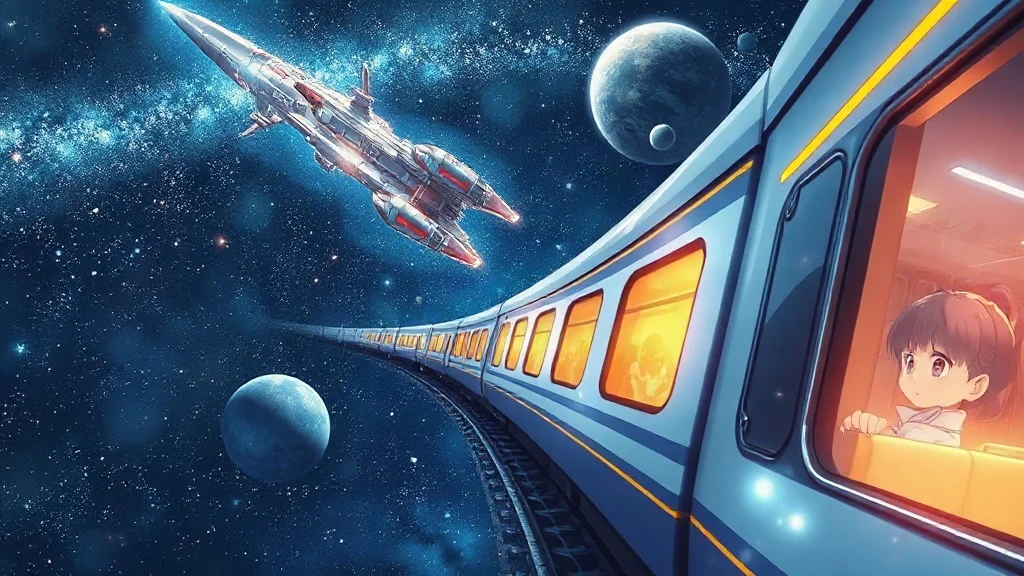
Meet the Astral Express before you install
Honkai: Star Rail is a space-fantasy role-playing game built around traveling aboard the Astral Express, exploring different worlds, and fighting turn-based battles. It suits players who enjoy story progression and assembling a team more than those looking for constant action combat.
The Astral Express provides the setting for a journey across the galaxy. Characters, conversations, and encounters give that journey its direction, so the appeal extends beyond moving from one battle to the next. Expect a game where following the story is a substantial part of playing.
Combat takes a different pace from a real-time action RPG. Characters act in turns, giving you room to consider abilities and targets instead of relying mainly on reflexes. Building a useful party matters because its members bring different abilities to each encounter.
- Turn-based battles reward decisions about attacks, abilities, and team composition.
- Exploration and story scenes connect encounters across different locations.
- Collectible characters give players reasons to experiment with their teams.
- Character development provides progression beyond simply finishing individual fights.
The game uses character-acquisition systems that include randomized rewards, commonly called gacha. Players who dislike those systems should consider that before downloading, especially alongside the store’s in-app purchase information.
Honkai: Star Rail is also distinct from Honkai Impact 3rd. They share the Honkai name, but they are separate games with different combat styles and installations. Check the full title rather than treating either one as another name for the same app.
Check your phone against the live Star Rail listing
The current Google Play listing is the practical place to check whether Honkai: Star Rail can be installed on your Android device. A version number or minimum requirement quoted elsewhere cannot substitute for the store’s message about your particular phone.
Device availability and installation messages
Open the listing while using the Google account and device you intend to play on. Review the installation control and any accompanying message. Google Play may offer installation, show that the game is already installed, or explain why installation is unavailable.
If you open the destination on a computer or in a browser, pay attention to the selected device. Being able to view the store page does not mean every phone associated with your account can install the game.
Check the app details for requirements and purchase disclosures. Store layouts can differ, so the information may appear under an expanded description or an app-information area rather than immediately beside the install control.
Storage and update details to check now
Read the update information displayed on the live listing rather than copying a release number from an older download page. Updates can change the information relevant to installation.
Also distinguish the store’s displayed download size from the total space needed during setup. Installation can require working space, and the game may download additional resources after launch. A small installer label therefore does not establish the final storage footprint.
Check your phone’s available storage before proceeding. Leave room for setup and subsequent updates rather than aiming to match a displayed download size exactly.
Install Honkai: Star Rail from the download button
Install Honkai: Star Rail by opening this page’s download button and completing the process in Google Play. The store handles delivery; there is no browser-downloaded APK to locate in your Downloads folder.
Open the Google Play destination
- 1. Tap the download button associated with Honkai: Star Rail on this page.
- 2. If Android asks how to open the destination, choose Google Play when that option is available.
- 3. Confirm that the listing is titled Honkai: Star Rail and describes the HoYoverse space-fantasy RPG.
- 4. Review device availability, app information, and any message beside the installation control.
Check that the developer identity matches the HoYoverse game, and review any permission requests before accepting them. A similar icon or title alone is not enough to identify an app.
If the destination opens in a browser first, use its available option to continue in the Play Store app. Avoid switching to an unrelated file-hosting page merely because the browser view looks different from your usual store screen.
Complete installation and launch the game
- 5. Select Install if Google Play offers it for your phone. If the game is already present, the available action may instead be Open or Update.
- 6. Wait for the store to finish downloading and installing the app. Keep the connection available while the process runs.
- 7. Select Open, or launch the game from its icon after installation completes.
- 8. Follow the game’s on-screen setup instructions, including any additional resource-download prompts.
You do not need to change the “Install unknown apps” setting for this route. If a separate page asks you to enable it, you have moved away from the Google Play installation described here.
Handle a blocked install or an interrupted setup
When Honkai: Star Rail fails to install or finish setup, start with the message displayed by Google Play or the game. The wording helps separate a store download problem from a problem that begins after the app launches.
When Google Play cannot complete installation
A compatibility message calls for a different response than a stalled download. Read the notice before retrying, and use Google Play’s relevant help if the explanation remains unclear.
- If storage is insufficient, review available space in Android settings and remove files you no longer need before trying again.
- If the download is waiting or interrupted, check whether your connection works and whether Play Store download preferences are delaying it.
- If installation is unavailable for the device, follow the store’s explanation instead of assuming a differently labeled APK will solve it.
Repeatedly downloading unrelated files adds another variable without addressing the original error. Keep troubleshooting tied to the store message and the destination you actually used.
When the game does not finish opening
Once Google Play reports installation complete, resource downloads or startup notices belong to the game’s setup process. Follow any displayed instructions and check that your connection and available storage can support the remaining work.
If startup still fails, consult the publisher’s support resources. Record the exact error wording, your device model, and whether the failure occurs before or after additional downloads. Those details are more useful than a general report that the game “doesn’t work.”
No workaround here guarantees compatibility or bypasses a store restriction.
Resolve conflicting Honkai Star Rail Apk versions
Conflicting Honkai Star Rail Apk version numbers in search results do not establish the current Android release. Third-party pages can describe different uploads, older releases, or packages whose labels have not been independently verified.
The supplied results advertise several different versions and file sizes. That disagreement is a reason to use the live store listing for the chosen installation route, not a reason to select whichever snippet contains the largest number.
Older releases differ from the current store download
A page offering older versions describes a different download arrangement. Google Play’s normal installation route does not provide a menu for selecting an arbitrary historical APK.
An older package label also says little about whether that release can still connect to the game’s services or complete setup. Do not assume that an earlier number means better compatibility with your phone.
MOD offers are outside this installation route
Some third-party results advertise modified packages. Those are not files supplied or endorsed by this page, and their titles do not prove what they contain.
There is no basis here to declare any particular third-party file safe, malicious, current, or authentic. The useful distinction is narrower: this download button opens the Google Play listing, not a modified package. Claims about altered rewards or gameplay should not be confused with features of the store release.
Use the Star Rail website for PC and publisher updates
HoYoverse’s official Honkai: Star Rail website is the appropriate starting point for current PC download options and publisher announcements. The Android download button serves a different platform and should not be used as a Windows installation instruction.
PC downloads follow a separate route
If you plan to play on a computer, navigate to the publisher’s official Star Rail website and review the platform options offered there. Follow its current PC instructions rather than transferring an Android installation file to Windows.
A Windows download result describes a PC package, even when its title resembles an Android result. The app name identifies the game; the platform label identifies which installation you are being offered. Both need to match your intended device.
Likewise, viewing Google Play on a Windows computer does not turn its Android listing into a PC installer. That browser view may help manage an Android installation, but the destination remains the mobile store.
The website is not evidence of browser play
Reaching the Honkai: Star Rail website online is different from running the game inside a browser. The available evidence supports a website with game information and download options, not a browser-play edition.
Keep those tasks separate: visit the website for publisher information or platform choices, and install the appropriate game client to play. A page labeled “online” should not be treated as proof that installation is unnecessary.
Find Star Rail character news and check code information
The official Honkai: Star Rail website provides character information, news, and limited-time event reward updates. It is a useful source for understanding publisher announcements without relying on an undated roster or a recycled rewards list.
Character information and event announcements
Character news can help you learn who appears in the game and what the publisher has announced. For team-building advice, distinguish basic character information from a tier list: rankings reflect recommendations, while your available characters and the encounter affect your choices.
Check announcement dates when reading event information. A reward mentioned in an old post should not be assumed to remain available. Also confirm that the announcement concerns Star Rail rather than Honkai Impact 3rd, which has its own content.
No active redemption codes verified here
No active Honkai: Star Rail codes or redemption procedure are verified by the supplied material. For code information, consult current publisher announcements and follow the instructions attached to a verified offer rather than assuming an old list still works.
Ready to install on Android? Use the download button labeled for Google Play, review the live Honkai: Star Rail listing, and proceed with the installation option available for your phone.
Comments